The time is booked the moment it is sent
Your client gets the confirmation straight away, with a calendar file for their own calendar. You do nothing.
Suits Services with a clear duration: a cut, a refill, a follow-up appointment.
Clients pick a service and a free time themselves, at any hour. You decide whether a booking is confirmed at once or waits until you say yes – confirmations and reminders go out by email on their own.
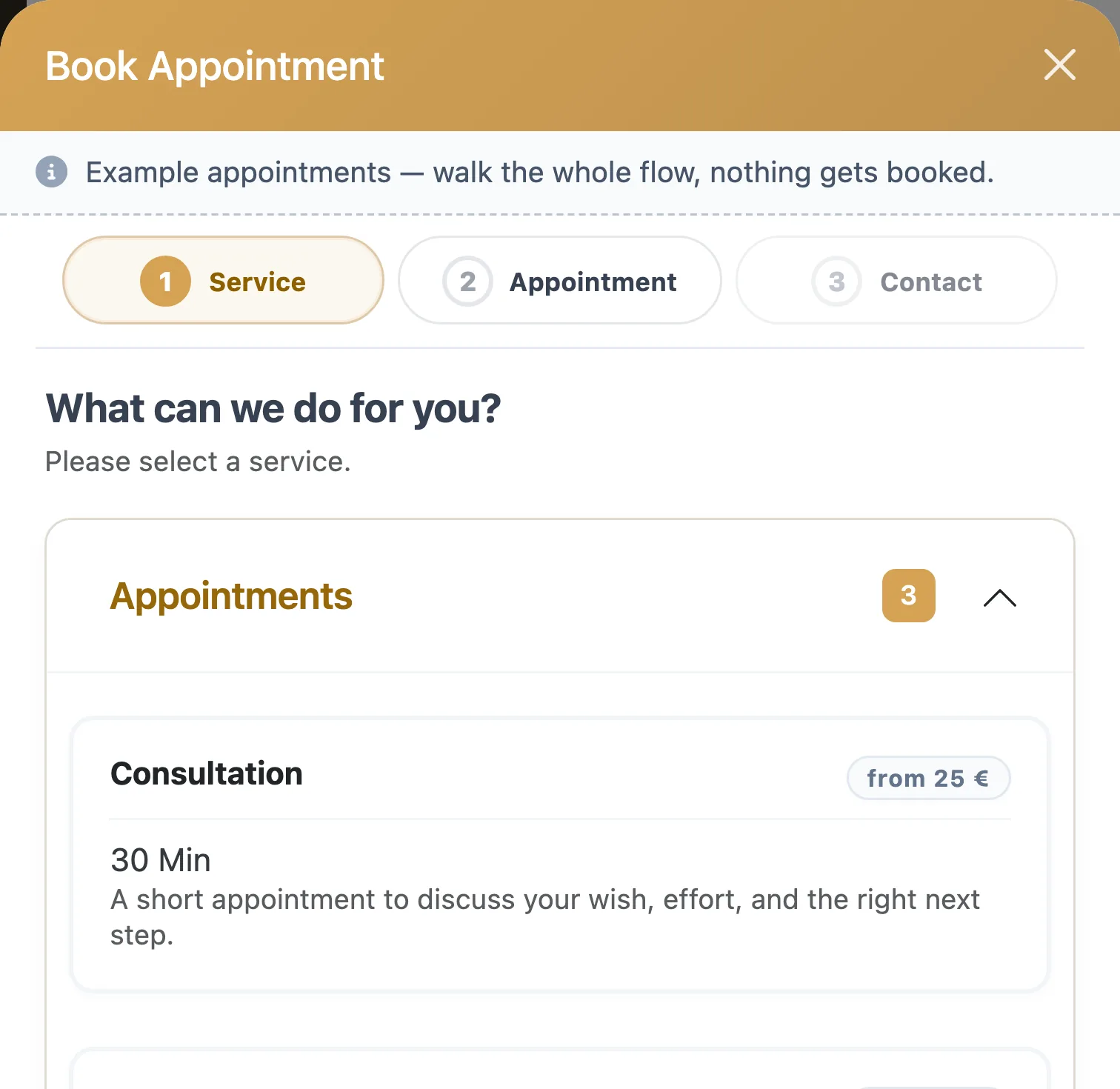
Three steps happen on your client's side, two happen by themselves. The only thing left for you is one decision – and only if you want to make it.
With the duration and the price you have set for it.
Only free times are offered, and each one is long enough for that service.
Name and contact details, and the booking is on its way to you.
Straight away – or once you have accepted the request.
An email before the appointment, and a second one on the day if you switch it on.
Both run on the same booking page, and your client sees the same three steps. What differs is who has the last word.
Your client gets the confirmation straight away, with a calendar file for their own calendar. You do nothing.
Suits Services with a clear duration: a cut, a refill, a follow-up appointment.
The booking arrives as a request, and your client is told it has reached you. You accept or decline it; either way they hear back by email.
Suits Appointments you would rather check: colour corrections, long treatments, first visits.
You set it once for the whole business. With several locations in the Team plan, each location can choose its own.
Then your client does not have to give up. They can send you a request for what they would like instead; it lands with your requests, and you accept it or turn it down.
Each message goes out by email when it is due, so there is no confirmation left to write by hand.
Still confirming appointments by hand? Free appointment confirmation templates
Three ways in, one calendar behind them: each one shows the same services and the same free times.
Every plan comes with a booking page of your own on plan-it-now.com. Put its link wherever clients find you: in your Instagram bio, on your Google Business Profile, in a WhatsApp status.
Try the booking window in the demoAlready have a website? Paste a short piece of code into it, and the booking appears right there, in one of these shapes:
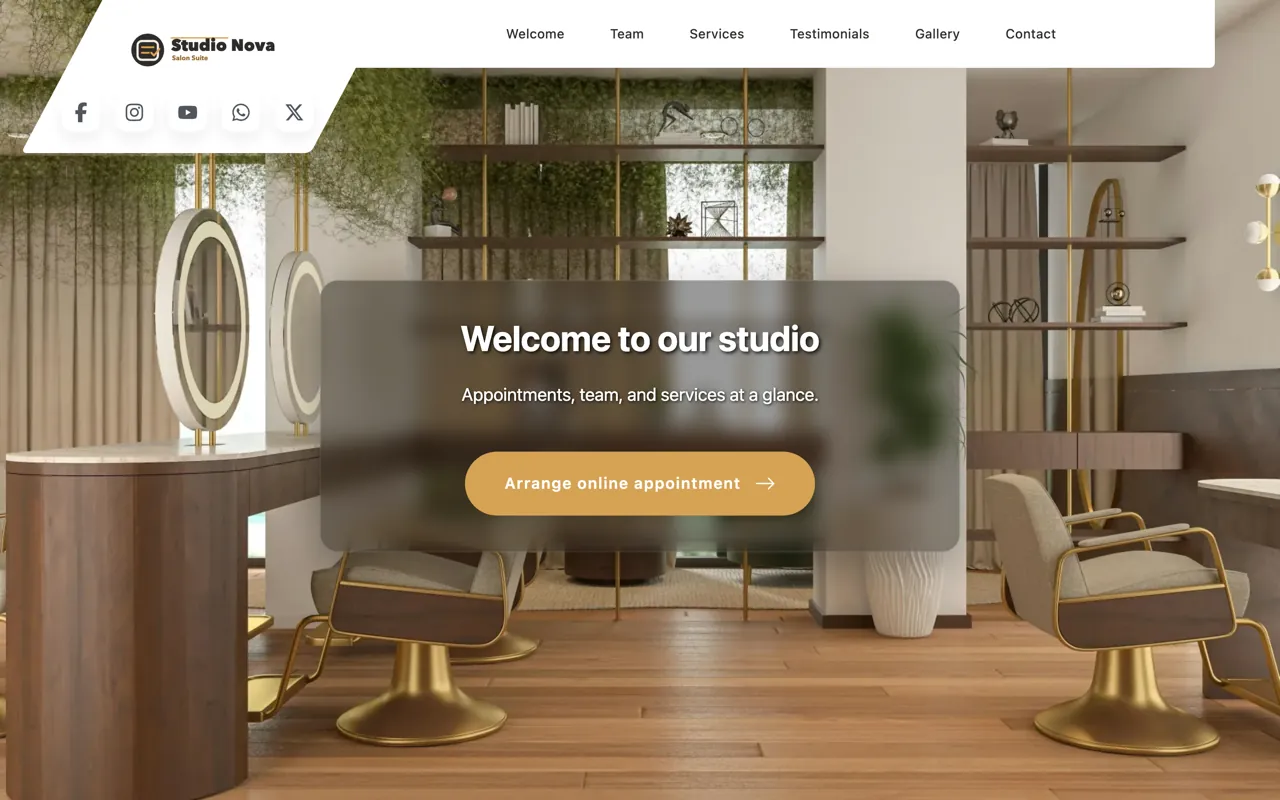
No website yet? From Solo Plus you get one of your own, with the booking built in rather than bolted on.
See the salon websiteIt is not an add-on. The booking page, the widget, both booking modes and all the emails are in each of the three plans – Solo, Solo Plus and Team.
You pay for your plan and nothing per appointment: no commission on a booking, however many come in. The current prices, and how to try it free first, are on the pricing page.
See pricingNeither. Online booking is part of all three plans, and you pay for the plan – nothing per booking and no commission on appointments. The current prices are on the pricing page.
No. Salon Wizard takes no payments: there is no online payment, no deposit at booking, and no fee for a missed appointment can be charged through the software. Clients pay in the salon, as they always have. What does help against empty chairs is built in: reminders before the appointment, and the request mode for appointments you would rather confirm yourself.
Yes. Switch to requests, and every online booking arrives as a request you accept or decline. Your client is told the request has reached you and hears back by email either way. The setting applies to the whole business; with several locations in the Team plan, each location can decide for itself.
Yes, in every plan. The booking widget goes into your website as a short piece of code – as an area on the page, or as a button that opens the booking over it. It offers the same services and free times as your booking page. If your website won't let you add code, a plain link opens the booking as a page of its own.
Up to two emails before a confirmed appointment: the first between 6 and 72 hours before, the second on the day itself, 1 to 6 hours before. You choose the times and whether the second one goes out at all. Before either, your client already has the confirmation with a calendar file.
They can send you a request instead of leaving the page. It lands with your booking requests; you accept it or turn it down, and your client hears back by email.
No. Every plan includes a booking page on plan-it-now.com that clients can book on from day one, and you share its link wherever they find you. A website of your own, with the booking built in, comes with Solo Plus.
Every booking lands in the client's history: which service, when, and with whom.
See the digital client recordsThe full feature list, including what Salon Wizard does not do.
Compare all featuresAppointment messages, a client card and a hygiene plan to print or copy.
See the free templatesWork out what a service should cost, from your costs, the time it takes and the material, before clients see the price.
Open the salon price calculatorSet up your services and opening hours, share your booking page, and watch the first bookings arrive before you choose a plan.
See the salon software